
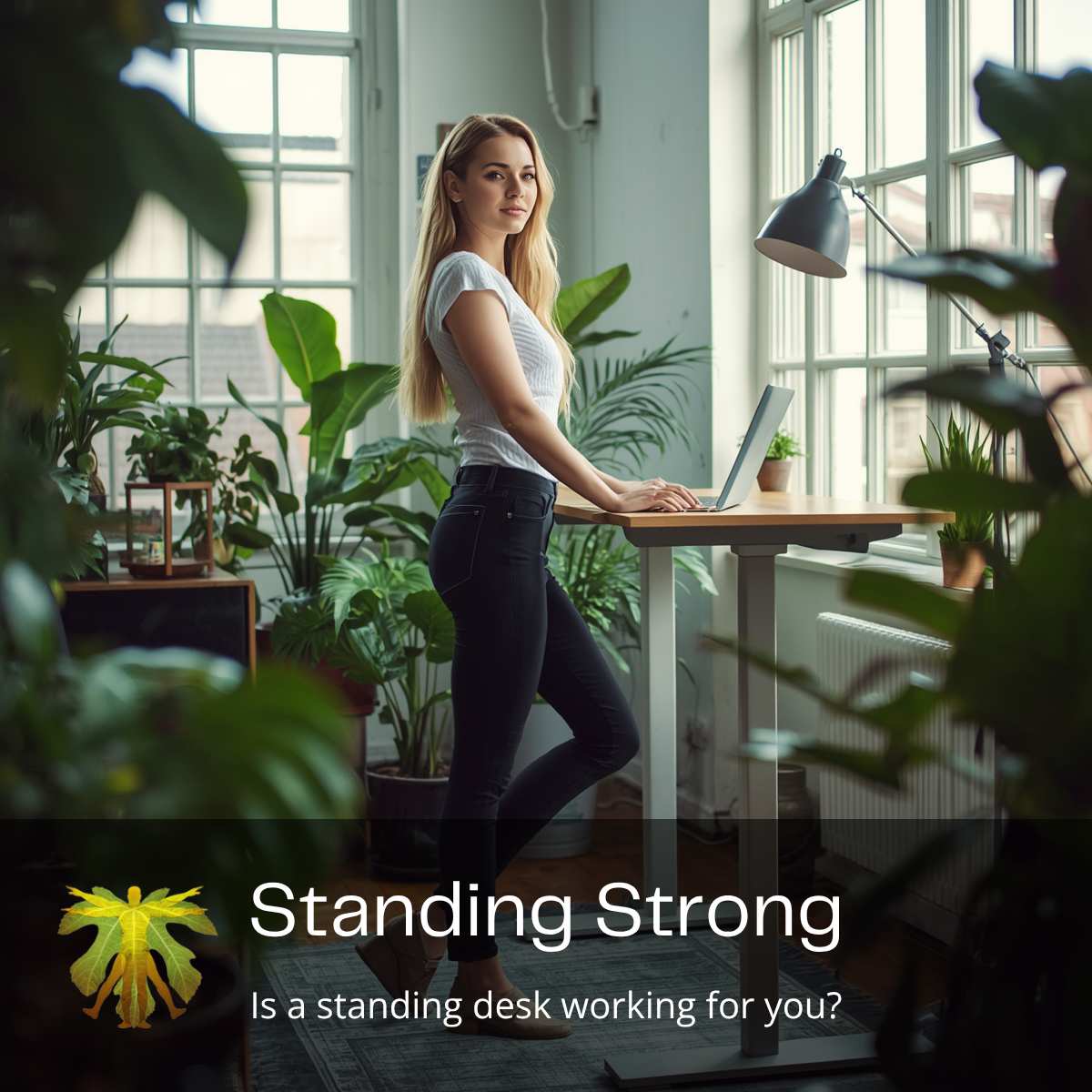

Standing Strong: Is a Standing Desk Working for You?
Standing desks have become increasingly popular as a solution to the problems associated with prolonged sitting. The promise is appealing: swap the sedentary desk job for an active standing workspace, improve your posture, increase your calorie burn, and reduce musculoskeletal discomfort. While reducing long periods of sitting is important for overall health, standing desks are not a magic fix. Without the right preparation and approach, you may simply be swapping sitting discomfort for standing aches.
At Adam’s Back, we work with many patients who have implemented standing desks but find themselves struggling with new or different discomfort. Understanding the transition to standing work and how to optimise your setup can make the difference between success and frustration.
Please note: This article is for informational purposes only and does not constitute personal healthcare advice. Always consult with your healthcare practitioner for proper assessment and treatment of work-related discomfort.
The Allure and Reality of Standing Desks
Research shows that excessive sitting is associated with metabolic dysfunction, cardiovascular disease, and musculoskeletal problems, which explains the appeal of standing desks.
The problem isn’t standing itself—it’s the sudden transition and lack of proper support. Many people discover this the hard way: they purchase a standing desk with enthusiasm, use it extensively on day one, and by day two they’re experiencing back aches, foot soreness, and fatigue.[2]
Why Standing May Initially Be Uncomfortable
If you’re experiencing discomfort when using your standing desk, you’re not alone. Several factors contribute to this adjustment period, and understanding them helps you address the issues properly.
The Sudden Transition Problem
One of the most common mistakes is switching suddenly from long periods of sitting to long periods of standing. Muscles and joints accustomed to chair support suddenly have to work much harder.[3]
Think of it like jumping straight into heavy weights at the gym instead of building up gradually. Your body needs time to adapt to the new demands. The tissues that supported you while sitting—your hip flexors, for example—are now being asked to lengthen and remain flexible while you stand. Meanwhile, muscles that were underactive during sitting—like your glutes and core stabilisers—suddenly need to work much harder.
This abrupt shift can cause:
- Lower back strain as your spine adjusts
- Hip discomfort as hip flexors stretch
- General fatigue from muscles working harder than usual
- Initial achiness similar to starting a new exercise program
Underlying Movement Dysfunctions
If your hips are stiff, your glutes are weak, or your core muscles are underactive, standing for extended periods can quickly become uncomfortable. Standing immediately reveals these underlying issues that sitting masked.
For example, if your hips don’t extend properly (a common result of prolonged sitting), your lower back has to work harder to maintain alignment while standing. If your glutes aren’t strong, your core muscles compensate, leading to strain and fatigue.
Similarly, if you have existing spinal issues or previous injuries that created compensatory movement patterns, standing can worsen these problems until you restore proper movement mechanics.
Understanding Your Core and Posture Muscles
Your core and postural muscles form your body’s foundation. When they’re strong, everything else remains stable. When they’re weak or underactive, you experience strain and discomfort.[4]
These muscles work together to support movement and share the load between joints and discs. Your core includes not just your abdominal muscles, but also your deep stabilising muscles, your glutes, and your back muscles. Your postural muscles maintain your alignment against gravity.
When these muscles work efficiently:
- Your spine remains properly aligned
- Forces are distributed evenly across joints
- Your discs experience less stress
- Movement is coordinated and efficient
- You can stand for extended periods comfortably
Constant muscular adjustments help keep your spine aligned, reducing strain on your lower back. But if your foundation isn’t strong, standing exposes these weaknesses immediately.
What Your Feet Are Actually Doing
Standing can tire your foot arches, calves, and even your back. Many people underestimate how important foot support is for overall standing comfort and spinal health.
The Importance of Footwear
Supportive shoes make a substantial difference in standing comfort. When your feet lack proper support:
- Arches flatten, altering your foot mechanics
- Your gait changes, affecting how forces travel up your kinetic chain
- Your ankles and knees may compensate
- This compensation travels all the way to your hips and lower back
Choose shoes with:
- Good arch support
- Cushioning for shock absorption
- Proper ankle support
- Appropriate footwear for standing work (not running shoes or dress shoes designed primarily for appearance)
Anti-Fatigue Mats
An anti-fatigue mat can provide cushioning and encourage subtle postural adjustments. These mats promote small shifts in your stance, which helps prevent the static loading that leads to fatigue.[5]
Proper Stance and Weight Distribution
How you stand matters significantly:
Stand with feet about hip-width apart (or slightly wider). This provides a stable base. Feet that are too close together are unstable; feet too far apart create excessive muscular adjustments.
Shift your weight from side to side. Avoid locking into one static position. Small shifts prevent the fatigue that comes from sustained muscle contraction in the same position.
Use a footrest. If you want to rest one foot occasionally, a footrest allows you to shift weight without sitting. Alternate sides to keep loading balanced.
Consider a gentle stepper. If standing discomfort persists, gentle stepping movements can help. These keep your muscles engaged without the sustained load of static standing.
Movement, Breaks, and Desk Setup
The goal isn’t perfect posture or staying still—it’s frequent movement. Research shows that alternating positions and taking regular breaks is more important than achieving any single “perfect” posture.[6]
The Movement Imperative
Frequent movement is essential for comfort, health, and productivity. Your muscles and joints are not designed to stay in one position for too long.
Change position every 20 to 30 minutes. Whether using a sit-stand desk or a traditional desk, movement breaks are crucial. The specific position matters less than the frequency of position changes.
If you have a sit-stand desk, alternate between sitting and standing. If you have a traditional desk, take movement breaks every 20-30 minutes—stand, walk around, or perform gentle stretching.
Micro-Breaks for Reset
Build micro-breaks into your day. These don’t have to be long—just 1-2 minutes of movement can help reset your body:
Shoulder rolls: Release tension in your upper traps and shoulder girdle. Perform slow, controlled rolls backward and forward.
Calf raises: Engage your calf muscles and promote blood flow to your feet. Stand on your toes, hold briefly, and lower. Repeat 10-15 times.
Gentle hip shifts: Shift your pelvis side to side to engage different hip muscles and promote mobility.
Short walks: Even a 1 to 2 minute walk around your workspace helps reset your body and maintain circulation.
These micro-breaks interrupt static loading and help prevent the fatigue that comes from prolonged standing or sitting.
Proper Desk Setup
Your desk setup profoundly affects your comfort and spinal health. Proper ergonomics can mean the difference between comfortable standing work and discomfort:
Elbows at 90 degrees: Your elbows should rest at approximately 90 degrees when your arms hang naturally at your sides. Your desk should be at a height that achieves this, not higher or lower.
Wrists straight: Your wrists should be in a neutral position, not bent up or down. This prevents repetitive strain injuries and reduces arm fatigue.
Screen position: The top of your screen should be at or just below eye level. If you have to look down, you’ll round your upper back, leading to neck and shoulder strain. If you have to look up, you’ll extend your neck excessively.
When your screen is at eye level, you naturally maintain better upright posture. Your head position affects your entire spine—the weight of your head shifting forward even slightly creates substantial additional stress on your cervical and thoracic spine.
Finding Your Individual Setup
Everyone is different—arm length, torso length, screen type, and work tasks all affect optimal setup. You may need to experiment to find the setup that works best for you:
- Try different desk heights
- Adjust the monitor distance and angle
- Consider monitor stands or arms that provide flexibility
- Test different standing mats and footrests
- Use keyboard trays if needed to achieve proper wrist positioning
Small adjustments can significantly improve comfort.
The Problem with Going All-In
One common mistake is getting a standing desk and then using it exclusively, standing for 6-8 hours per day from day one. This sets you up for failure and discomfort.
A Better Transition Strategy
Gradual implementation: Start with 20-30 minutes of standing time on day one. Gradually increase as your body adapts, adding 10-15 minutes every few days.[7]
Alternating approach: If possible, alternate between sitting and standing. Use your sit-stand desk to switch positions every 20 to 30 minutes. This provides relief and variation without the fatigue of all-day standing.
Listen to your body: If you experience pain (not just mild discomfort), reduce standing time and reassess your setup. Pain is a signal that something needs adjustment.
Address underlying issues: If you have hip stiffness, weak glutes, or core weakness, these will become apparent when standing. Address them with targeted exercises and possibly a professional assessment.
Common Standing Desk Mistakes
Mistake 1: Not Adjusting Gradually
Jumping from all-day sitting to all-day standing will cause discomfort. Your body needs time to adapt.
Fix: Start with 30 minutes of standing per day and increase gradually.
Mistake 2: Poor Desk Setup
Incorrect height, monitor position, or keyboard placement creates strain that no amount of movement can overcome.
Fix: Invest time in a proper ergonomic setup. Small adjustments yield big improvements.
Mistake 3: Static Standing
Treating standing like sitting—remaining in the same position all day—defeats the purpose and creates additional problems.
Fix: Move frequently. Shift weight, change foot position, take micro-breaks, and alternate with sitting.
Mistake 4: Ignoring Underlying Movement Issues
If you have hip stiffness, weak glutes, or poor core stability, standing reveals these problems quickly.
Fix: Address underlying movement dysfunctions through targeted exercises and professional assessment.
Mistake 5: Choosing the Wrong Footwear
Standing in unsupportive shoes undermines the benefits of a standing desk.
Fix: Wear supportive, cushioned shoes designed for standing work. Consider anti-fatigue mats and footrests.
Exercises to Support Standing Work
If you’re implementing a standing desk, addressing underlying movement issues with targeted exercises helps ensure success.
Core Strengthening
Strong core muscles are essential for comfortable standing work. Try these exercises 3-4 times per week:
Planks: Hold for 20-60 seconds, 2-3 sets. Engage your core without holding your breath.
Bird dogs: On hands and knees, extend opposite arm and leg. Hold 5-10 seconds. 2 sets of 8-10 each side.
Dead bugs: Lie on your back, extend opposite arm and leg. 2 sets of 10-12 each side.
Pallof press: Use a resistance band or cable machine. Press across your body, resisting rotation. 2 sets of 10-12 each side.
Hip Mobility and Glute Activation
Address tight hip flexors and weak glutes that may be causing discomfort:
Hip flexor stretches: Kneeling lunge position, 20-30 seconds each side, daily.
Glute bridges: 2-3 sets of 10-15 reps.
Clamshells: 2 sets of 12-15 each side.
Side-lying leg lifts: 2 sets of 15 each side.
Calf and Foot Strengthening
Support your feet and lower legs:
Calf raises: 2-3 sets of 15-20 reps. Stand on toes, hold briefly, lower.
Towel curls: Place a towel on the floor, curl it toward you using only your toes. 2-3 sets.
Foot circles: Rotate your ankles in both directions, 10 circles each way, 2-3 times daily.
When to Seek Professional Help
If standing desk discomfort persists despite proper setup and gradual transition, it’s time to seek professional assessment.
Seek help if you experience:
- Persistent lower back pain when standing
- Sharp or severe pain
- Pain that worsens over days or weeks
- Numbness, tingling, or weakness
- Pain that affects your ability to work
- Discomfort despite proper setup and exercise
At Adam’s Back, we can:
- Assess your standing desk setup and make recommendations
- Evaluate your movement patterns and identify restrictions
- Assess core and hip strength
- Determine if underlying spinal issues are contributing
- Create a customised exercise program to address your specific issues
- Help you transition successfully to standing work
Standing Desk Success: A Summary
Standing desks can be a valuable tool for reducing excessive sitting and promoting movement, but they’re not a magic solution. Success requires:
- Gradual transition: Build standing time slowly, starting with 20-30 minutes per day
- Frequent movement: Change positions every 20-30 minutes; don’t stand statically
- Proper setup: Correct desk height, monitor position, and ergonomics
- Supportive footwear: Wear shoes designed for standing work
- Core and hip strength: Address underlying movement issues
- Micro-breaks: Shoulder rolls, calf raises, gentle hip shifts, short walks
- Listen to your body: Pain is information that something needs adjustment
The goal isn’t to stand all day—it’s to move frequently and vary your position throughout the day. A standing desk is a tool that, when used properly, can help you achieve this goal.
Visit Us at Adam’s Back
Located at 881 Point Nepean Road in Rosebud, Adam’s Back provides assessment and guidance on optimising your standing desk setup and addressing work-related discomfort.
If standing desk discomfort persists despite proper setup, or if you want professional guidance on transitioning successfully to standing work, we’re here to help. We can identify contributing factors and provide targeted advice to ensure your standing desk works for you, not against you.
Ready to optimise your standing desk and eliminate work-related discomfort? Contact us today or visit our blog at www.adamsback.com.au/blog for more insights on workplace ergonomics and musculoskeletal health.
References
[1] Biswas A, Oh PI, Faulkner GE, et al. Sedentary time and its association with risk for disease incidence, mortality, and hospitalisation in adults: a systematic review and meta-analysis. Ann Intern Med. 2015;162(2):123-132.
[2] Pronk A, Tan SY. The association between sitting posture and non-specific low back pain among computer workers in the Asian-Pacific region: a systematic review. Asia Pac J Public Health. 2012;24(2):294-309.
[3] Schram B, Hinman RS, Metcalf BR, et al. Reconditioning exercise training for chronic whiplash: A randomised controlled trial. Spine (Phila Pa 1976). 2009;34(1):19-26.
[4] Kibler WB, Press J, Sciascia A. The role of core stability in athletic function. Sports Med. 2006;36(3):189-198.
[5] Robertson M, Ciriello V, Garabet A. Effect of an office ergonomics training and chair intervention on job satisfaction, product defects, and injuries: a multiple-case study. Work. 2013;45(3):391-401.
[6] Thorp AA, Healy GN, Winkler E, et al. Prolonged sedentary time and physical activity in workplace and non-work contexts: a cross-sectional study of office, customer service and call centre employees. Int J Behav Nutr Phys Act. 2012;9:128.
[7] Buckle PW, Devereux JJ. The nature of work-related neck and upper limb disorders. J Occup Environ Med. 2002;59(1):1-8.
Disclaimer: This blog post is for informational and educational purposes only. It is not intended as medical advice and should not be used to diagnose or treat any health condition. The information presented does not replace professional chiropractic evaluation and treatment. Always consult with a qualified healthcare professional regarding work-related discomfort or ergonomic concerns.

Comments are closed